Use OpenClaw for free with Ollama
I recently released ollama launch and a new TUI to make Ollama more usable.
OpenClaw is an AI agent/personal assistant which can take actions on your behalf and manage different things in your life.
- Control your computer
- Browse the web
- Analyze data and documents
Setup Guide
The simplest and completely free option.
Requirements:
- 24GB VRAM minimum - 64GB+ recommended
- 32GB+ free disk space
- macOS, Linux, or Windows with WSL2
Steps:
- Install Ollama
curl -fsSL https://ollama.com/install.sh | sh
- Install OpenClaw
curl -fsSL https://openclaw.ai/install.sh | bash
- Run Ollama
ollama
This will drop you into a TUI like this:
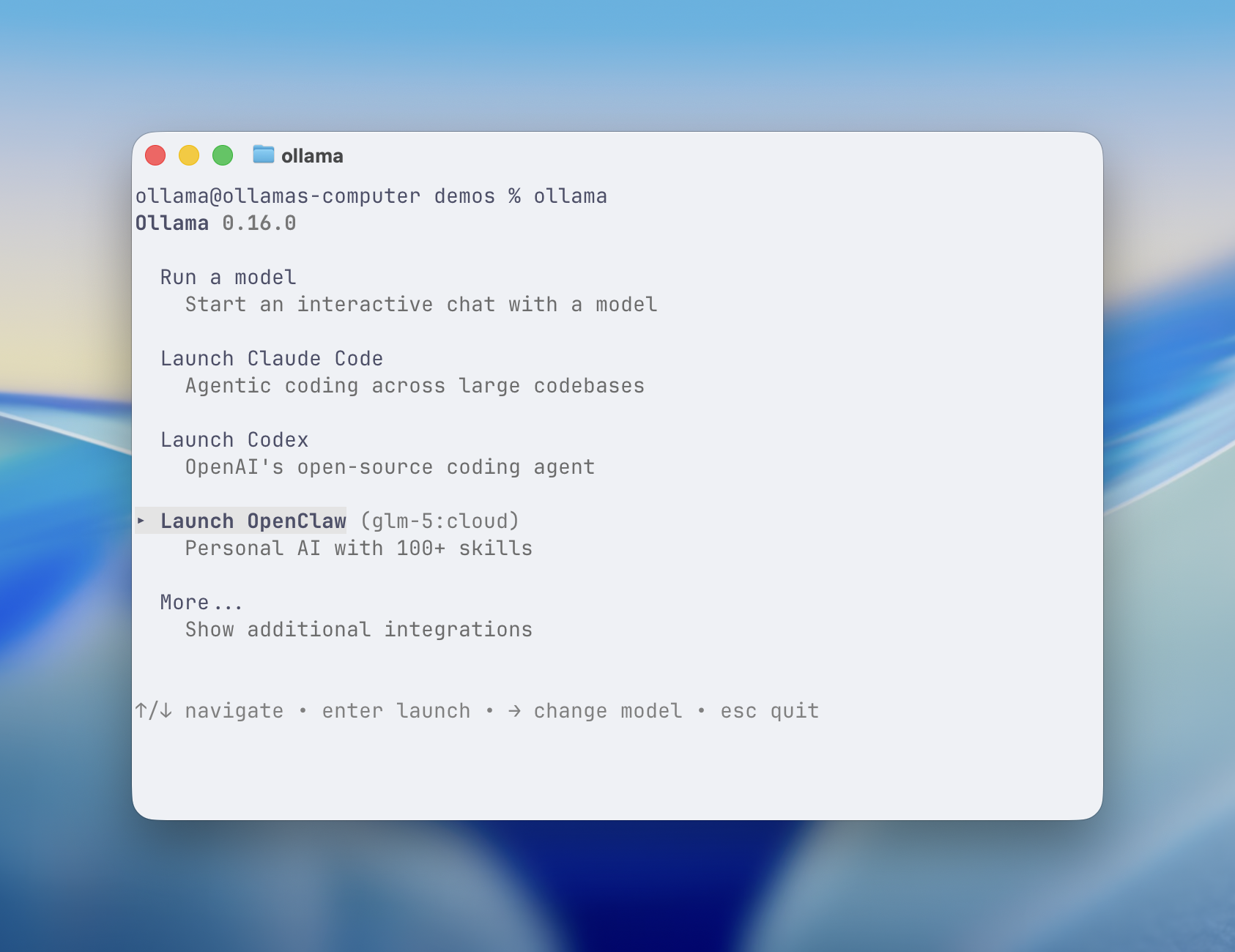
Make sure to use the existing values after configuring which models to use. I’d recommend using the models recommended through Ollama as they’re updated regularly.
Go through the openclaw onboarding process to set up your agent.
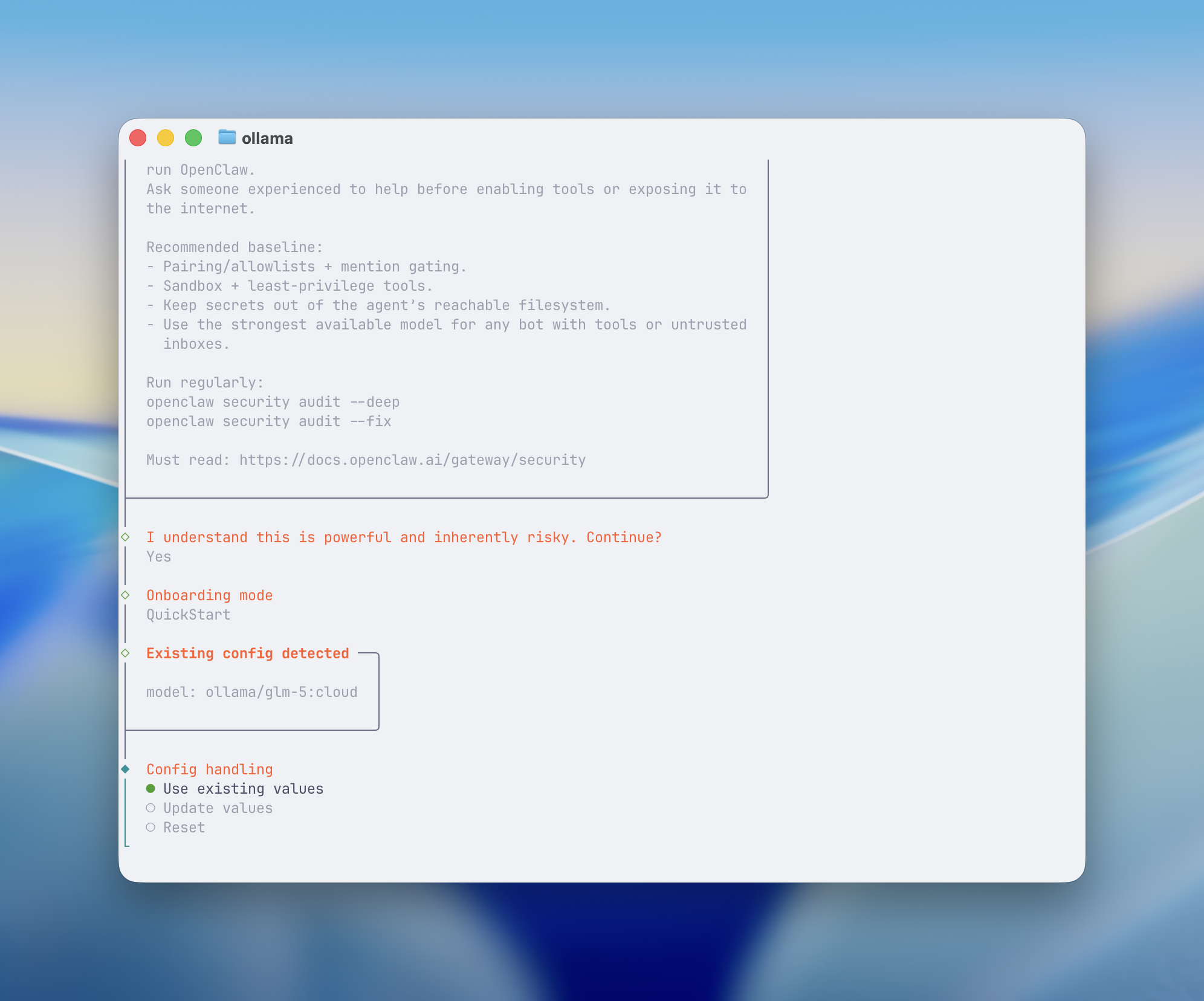
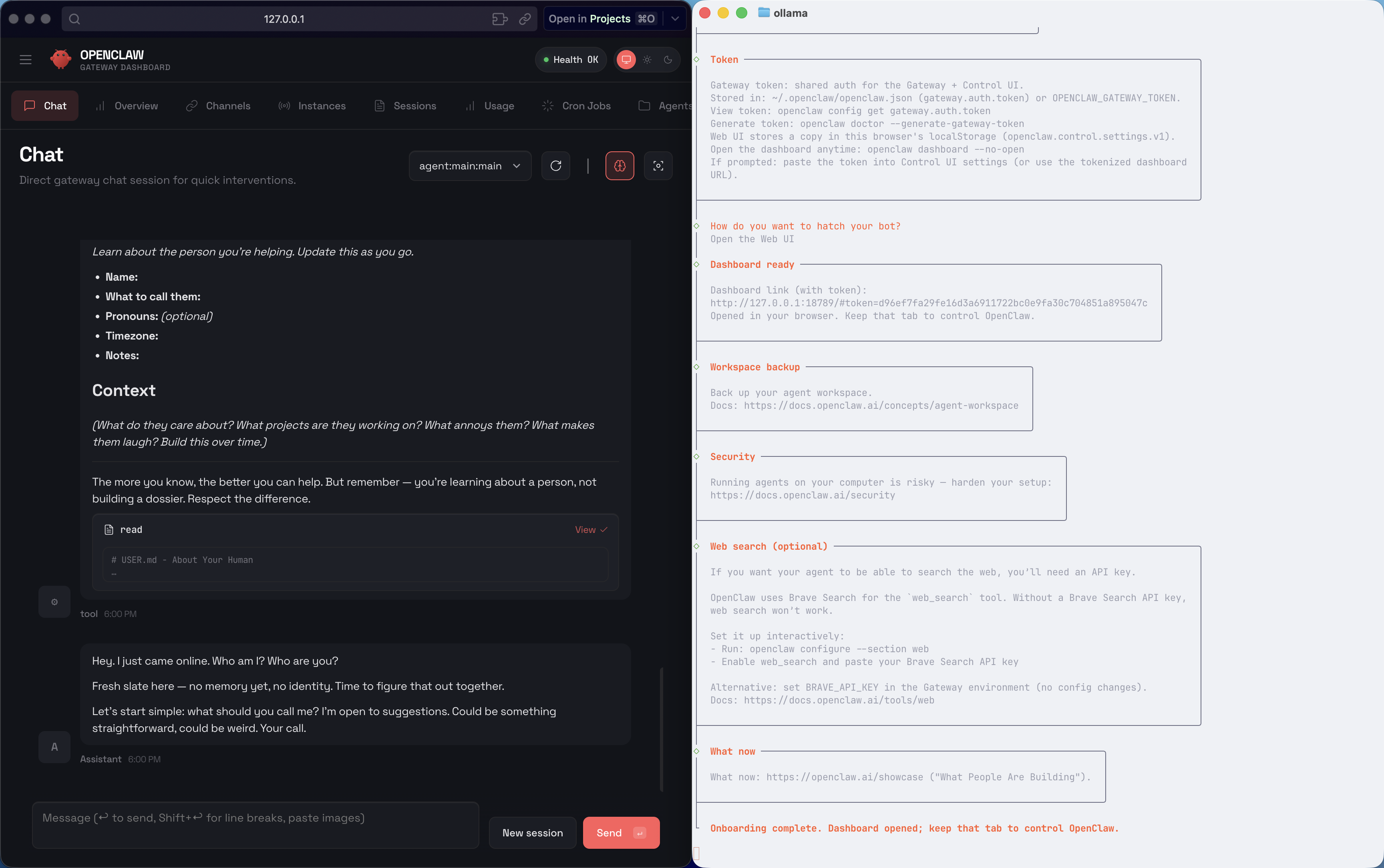
After finishing onboarding you can start using OpenClaw to control your computer and browse the web.
Context Length
If you cannot fit at least 64k of context length which is how much a model can see at once - either you’ll have to upgrade your machine, use a less capable model. I don’t recommend using a less capable model as it will be on your computer and make more mistakes. Only do it if your risk tolerance is high. You can also use a cloud model through Ollama offers some usage for free.
I recommend using Kimi-K2.5, GLM-5, and Minimax M2.5 at the time of writing this.
If you run into issues with any part of this, other integrations feel free to reach out to me on X or LinkedIn.